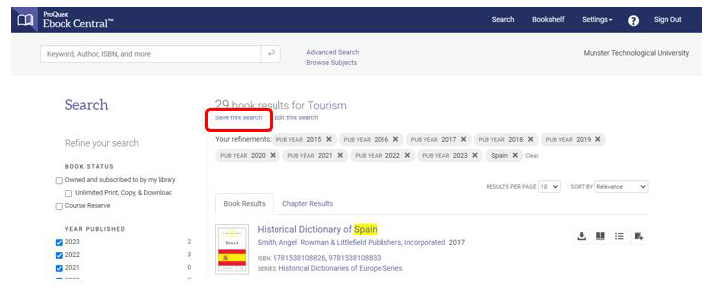
1. Go to your old bookshelf:
https://ebookcentral.proquest.com/lib/cit-ebooks/bookshelf.action
2. Click on your folder under ‘Saved to Bookshelf’ and then click on Export Folder
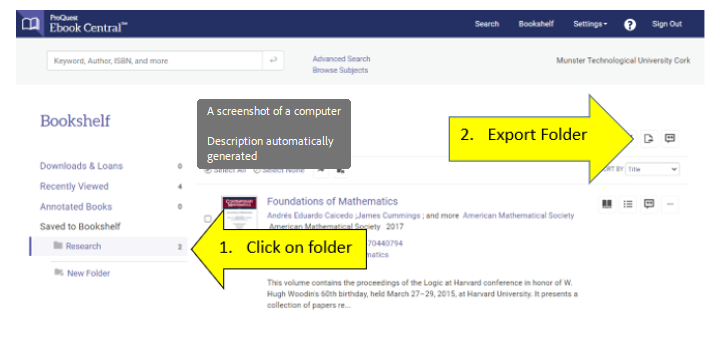
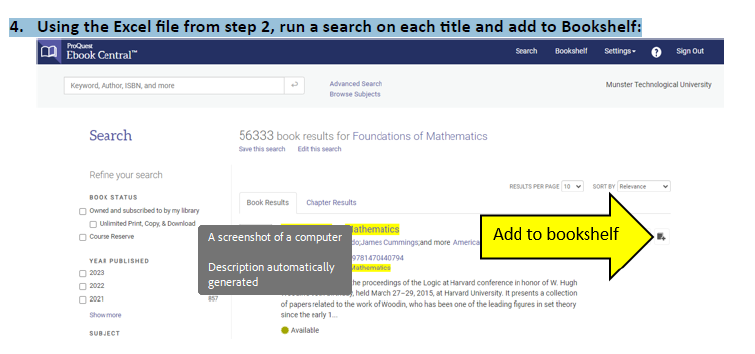
This will create an Excel file with a list of titles in that Bookshelf folder. Repeat if you have multiple folders.
3. Go to the new instance of Ebook Central to re-create your bookshelf:
https://ebookcentral.proquest.com/lib/munster/home.action
1. Find your old Saved Searches:
https://ebookcentral.proquest.com/lib/cit-ebooks/savedSearch.action
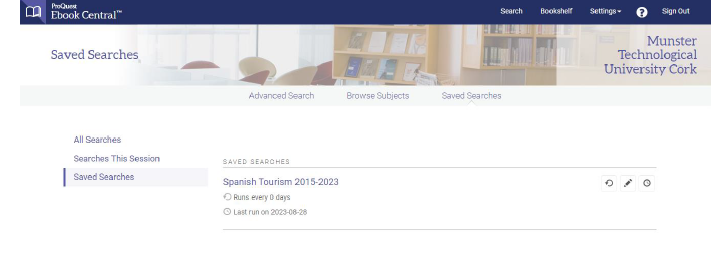
2. Click into ‘Edit Search’ to find the search criteria.
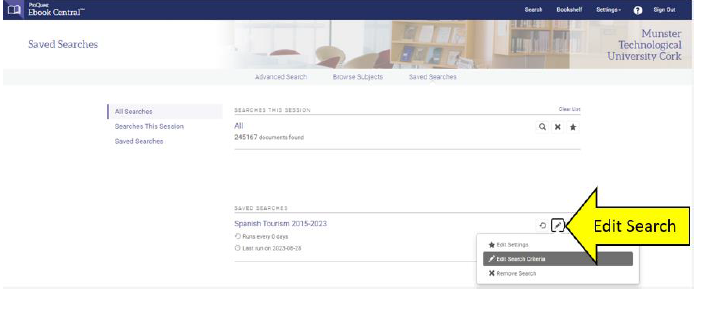
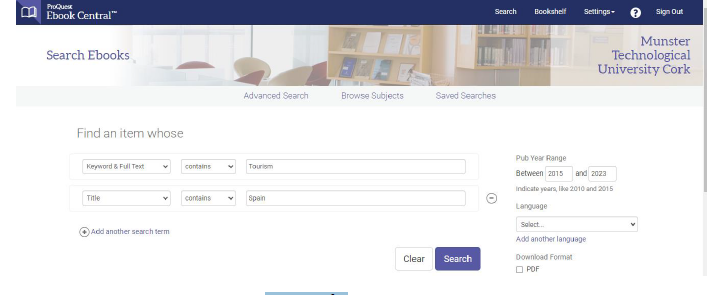
3. Make a note of the search criteria:
4. Go into the new instance of Ebook Central to re-create the search:
https://ebookcentral.proquest.com/lib/munster/advancedSearch.action
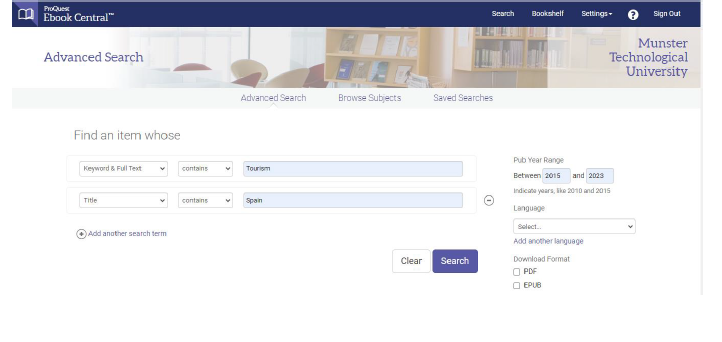
5. Run the search and Save the search